Data Center Cooling Best Practices in Oklahoma: CRAC/CRAH, Hot Spots, Humidity, and Redundancy
A practical Oklahoma guide to data center cooling: how to prevent hot spots, manage humidity, maintain CRAC/CRAH systems, and build redundancy that holds up during heat events.
Data Center Cooling Best Practices in Oklahoma: CRAC/CRAH, Hot Spots, Humidity, and Redundancy
Quick Answer
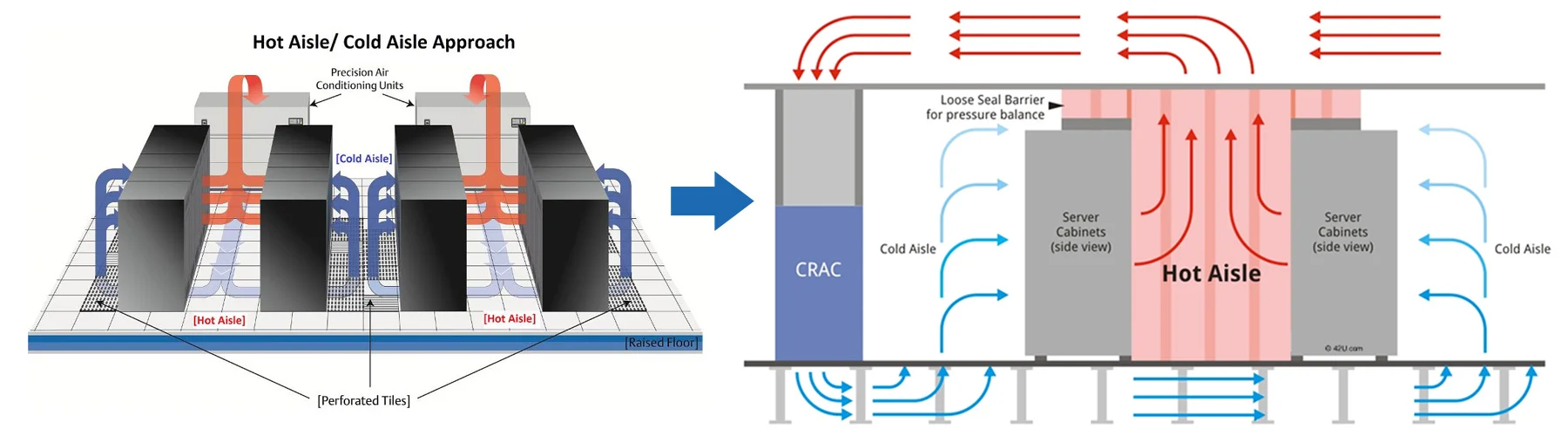
Photo credit: cool-shield.com
Why Oklahoma data centers have a different risk profile
Oklahoma facilities face a combination that stresses cooling systems:
| Risk Factor | Impact on Data Center Cooling |
|---|---|
| Extended high-ambient weeks | Condenser performance margin gets tight |
| Wind-driven dust/cottonwood | Loads coils and filters rapidly |
| Storm season power events | Tests restarts, UPS, and controls logic |
| Humidity swings | Summer too wet, winter too dry |
Data center cooling is less about “comfort” and more about maintaining stable inlet conditions and avoiding alarm cascades that force load shedding at the worst time.
For broader condenser-side planning during extreme weather, pair this with our Oklahoma heat dome HVAC protection guide.
The goal: protect IT inlet conditions, not “room temperature”
The single biggest mindset shift: stop thinking like an office HVAC system.
Key Operational Metrics
| Metric | Target Range | Why It Matters |
|---|---|---|
| Rack Inlet Temp | 64-80°F (ASHRAE A1) | Equipment reliability |
| Temperature Stability | ±2°F variation | Prevents thermal stress |
| Humidity | 20-80% RH (varies by spec) | Static discharge / condensation |
| Failover Response | Under 30 seconds | Prevents thermal runaway |
If you control inlet conditions, you can tolerate room-side variability much better.
CRAC vs CRAH (and why the difference matters)
CRAC vs CRAH Comparison
| Factor | CRAC (DX-based) | CRAH (Chilled Water) |
|---|---|---|
| Heat Rejection | Direct to outdoor condenser | To chilled water plant |
| Best For | Smaller deployments | Large/critical facilities |
| Oklahoma Weakness | Condenser limits in heat | Plant dependency |
| Redundancy | Per-unit | Centralized at plant |
| Maintenance | Coils, compressors, condensers | Valves, coils, plant |
CRAC (Computer Room Air Conditioner)
Typically direct expansion (DX) based. CRAC systems reject heat to an outdoor condensing unit or integrated condenser system.
Strengths:
- packaged approach, common in smaller deployments
Weak points in Oklahoma:
- condenser limitations during extreme heat
- coil loading outdoors, fan staging, and compressor cycling
CRAH (Computer Room Air Handler)
Typically chilled-water based. CRAH units rely on central chilled water for heat removal.
Strengths:
- easier to centralize redundancy at the plant level
- strong capacity stability when the plant is robust
Weak points:
- chilled water plant dependency
- valve/controls drift can create “it runs but doesn’t cool” scenarios
The “best” choice depends on your plant architecture, redundancy strategy, and maintenance discipline.
Hot spots: how they happen (and how to stop them)
Hot spots are usually an airflow problem, not a capacity problem.
Hot Spot Root Cause Analysis
| Cause | How to Identify | Fix |
|---|---|---|
| Hot air recirculation | Thermal imaging, aisle temps | Improve containment |
| Missing blanking panels | Visual rack inspection | Install panels |
| Cable management | Airflow obstruction visible | Reorganize cables |
| Wrong tile placement | CFD or airflow testing | Relocate tiles |
| Return short-circuit | Unit supply/return temps close | Adjust returns |
| Density change | New high-power equipment | Rebalance airflow |
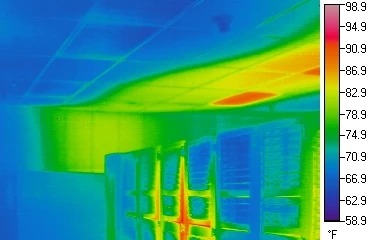
Photo credit: upsite.com
Practical fixes that work
- enforce hot aisle/cold aisle containment discipline
- use blanking panels and seal bypass paths
- validate perforated tile placement (data-driven, not “feel”)
- verify CRAC/CRAH fan speeds and control mode behavior
If your team is constantly “chasing hot spots,” you likely have an airflow design/controls issue—not a “weak unit.”
Humidity control: what to watch in Oklahoma
Humidity control can drift during:
- high outside air humidity days (summer)
- winter dry air conditions and aggressive dehumidification
- economizer or ventilation mode changes (if applicable)
Humidity Risk by Season
| Season | Risk | Symptoms | Prevention |
|---|---|---|---|
| Summer | High humidity | Condensation, corrosion | Verify dehumidification |
| Winter | Low humidity | Static discharge | Maintain humidification |
| Shoulder | Oscillation | Control hunting | Tune sequences |
Best practices:
- trend humidity at representative points (not just one sensor)
- confirm humidification/dehumidification sequences are stable
- avoid “fix it by changing setpoints every hour” (creates oscillation)
Pro Tip: The best data centers keep humidity control boring—stable, predictable, documented.
Maintenance best practices (what prevents emergency calls)
Data Center Maintenance Schedule
| System | Task | Frequency | Oklahoma-Specific Notes |
|---|---|---|---|
| Filters | Change/inspect | Monthly | More frequent during cottonwood |
| Indoor Coils | Clean/inspect | Quarterly | Check for bypass |
| Outdoor Coils | Clean | Monthly in summer | Dust/cottonwood loading |
| Condensers | Inspect fans, VFDs | Quarterly | Verify staging |
| Chilled Water | Verify flow, valves | Monthly | Check for drift |
| Tower | Chemistry, cleaning | Weekly-monthly | Scale/biofilm prevention |
| Controls/Alarms | Test routing | Monthly | Verify after-hours delivery |
1) Filter and coil discipline
Oklahoma dust seasons are real. A good program includes:
- documented filter change cadence (with differential pressure if possible)
- coil inspection and cleaning plan (indoor and outdoor where applicable)
- guarding against “filter bypass” via rack sealing and proper fit
2) Condenser-side maintenance (DX CRACs and air-cooled systems)
For outdoor equipment:
- keep coils clean
- verify fans and VFDs stage correctly
- plan for peak heat derate behavior
3) Chilled water plant maintenance (CRAH systems)
- verify tower performance and water treatment consistency (if water-cooled)
- tube cleaning strategy for heat exchangers/chillers where applicable
- trend approach temperatures and alarm history
4) Controls and alarm routing
If alarms aren’t routed correctly after hours, you don’t have reliability—you have delayed response.
For response sequencing in the first hour of a critical failure, use our emergency HVAC response playbook.
Redundancy: N+1 and 2N explained for operators
Redundancy Comparison
| Configuration | Capacity | Cost | Operator Notes |
|---|---|---|---|
| N | Exactly meets load | Lowest | No redundancy—any failure = problem |
| N+1 | One extra unit | Medium | +1 must be available and tested |
| 2N | Two complete systems | Highest | Each path handles full load |
| 2N+1 | 2N plus one spare | Premium | Maximum resilience |
N+1
You have one more capacity unit than you need at peak design load.
Operator reality:
- it only “counts” if the +1 is available, tested, and can take load automatically or via a documented procedure
2N
Two independent systems, each capable of carrying the full load.
Operator reality:
- higher cost, higher resilience
- requires rigorous testing and coordination
A real emergency playbook (what to do when cooling is trending wrong)
When the system is trending toward trouble, time matters.
Emergency Response Decision Tree
| Symptom | Likely Cause | Immediate Action |
|---|---|---|
| One aisle trending high | Airflow issue | Check containment, tiles, blanking panels |
| Multiple zones trending high | Capacity/plant issue | Verify all units running, check plant |
| Humidity spiking | Dehumidification failure | Check CRAC/CRAH modes |
| Repeated unit trips | Condenser or refrigerant issue | Stop resetting, call service |
Step 1: Confirm if this is local or systemic
- one aisle / one rack zone → airflow issue likely
- multiple zones trending high → capacity or plant-side issue likely
Step 2: Stabilize load and airflow
- reduce unnecessary heat loads
- ensure containment and bypass management
- verify units are actually delivering air and not short-cycling
Step 3: Avoid random resets
Repeated resets can convert a recoverable condition into compressor/starter damage.
Step 4: Escalate early
If conditions are trending worse, call early so parts, manpower, and contingency cooling can be planned.
If projected downtime exceeds your tolerance window, move immediately to temporary capacity planning with this emergency rental chiller deployment guide.
Oklahoma-specific notes on after-hours response
Many data center issues happen outside normal hours because:
- load stays constant 24/7
- outdoor conditions remain harsh overnight during heat events
- staffing is lean
After-Hours Readiness Checklist
| Item | Have It Ready |
|---|---|
| Escalation contacts | Names, phone numbers, backup contacts |
| Access procedures | Keys, codes, escort requirements |
| Spare parts | Filters, sensors, belts, fuses |
| Vendor contacts | HVAC service, chiller OEM, controls |
When to call for professional support
Call for professional support when:
- you have repeated hot spot patterns that don’t match rack changes
- humidity control is oscillating or drifting during peak summer
- redundancy failover is not behaving predictably
- alarms are frequent but root causes aren’t being corrected
Need data center cooling support in Oklahoma?
Total Mechanical Services supports data center cooling troubleshooting, controls stabilization, and maintenance planning across Oklahoma. Call (405) 223-9900 or request a proposal.
Disclaimer: This guide is informational and does not replace your facility’s IT environmental standards, engineering requirements, or OEM procedures. Always follow site-specific policies and qualified professional guidance.
Related Resources
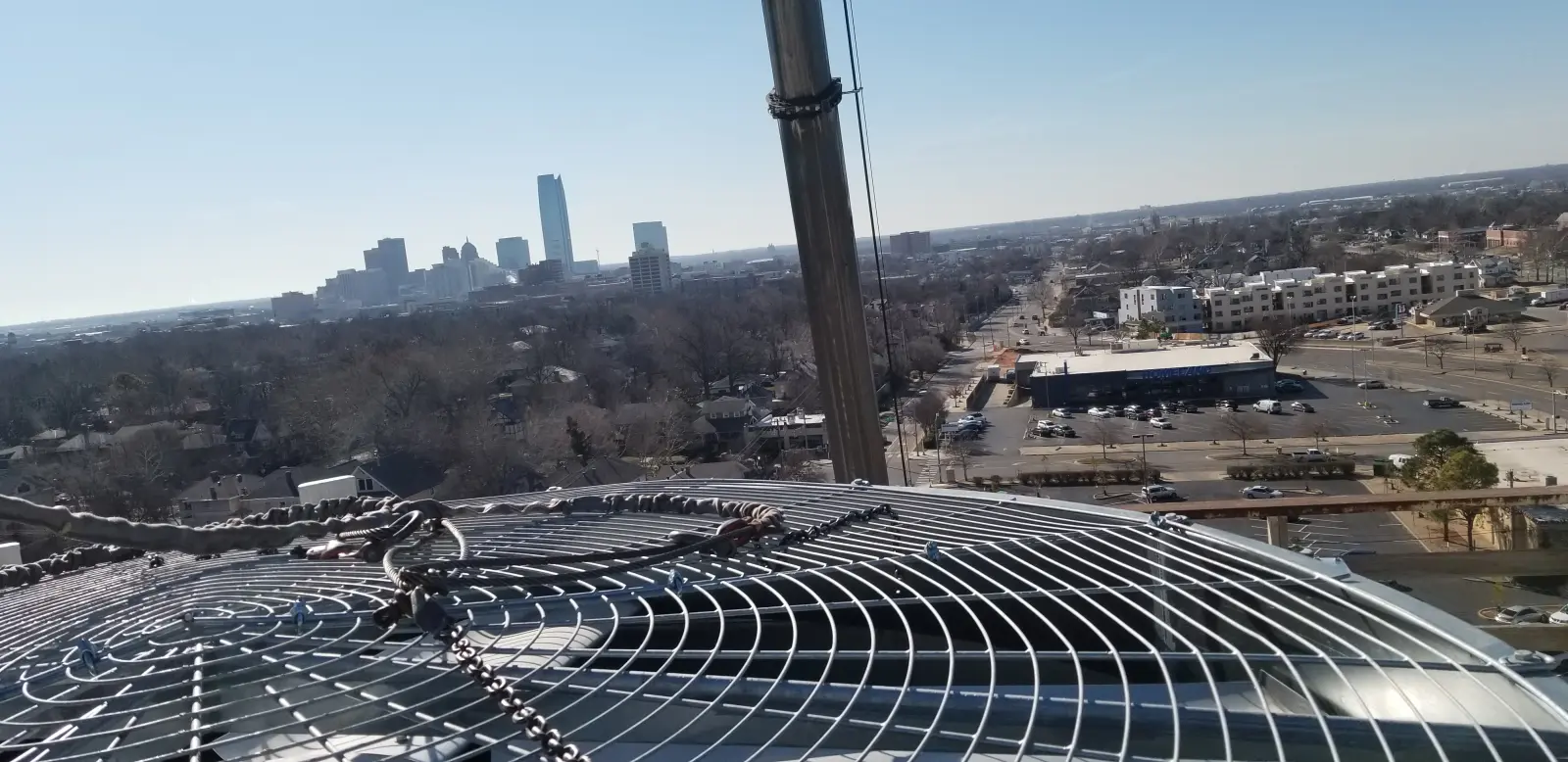
The Dowell Building (Oklahoma City): Cooling Tower Consolidation and VFD Retrofit
We consolidated two aging, unreliable cooling towers into a single, high-efficiency unit with a Variable Frequency Drive (VFD), simplifying the building's mechanical plant and improving energy performance.
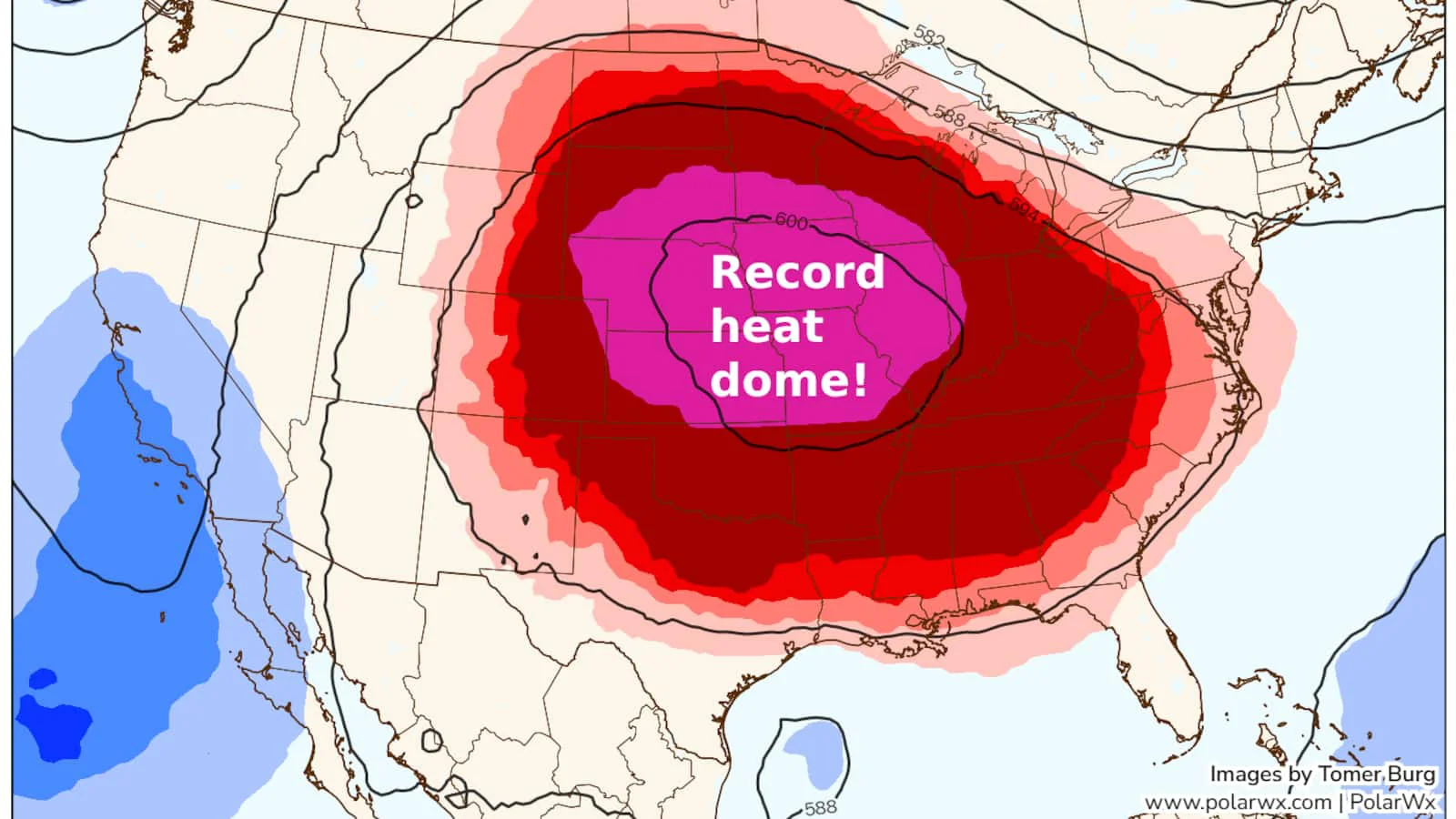
Protecting Commercial HVAC From Oklahoma Heat Domes: High-Ambient Strategy, Coil Cleaning, and Load Management
A practical Oklahoma guide to surviving heat domes: high-ambient chiller/RTU performance, coil cleaning cadence, tower readiness, demand management, and emergency cooling planning.
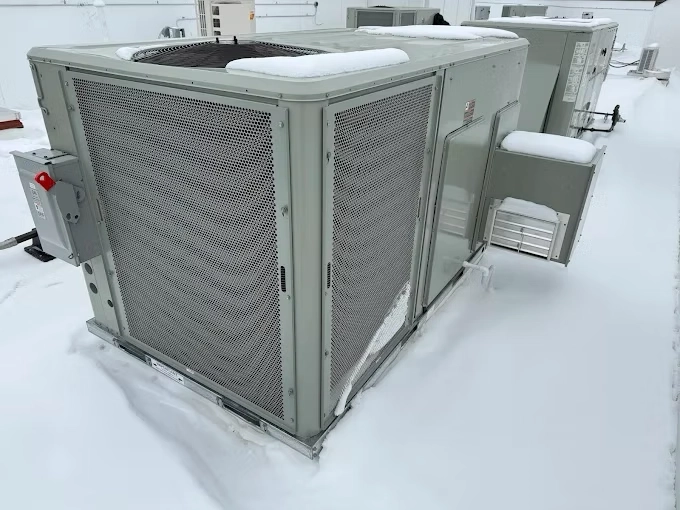
RTU Winterization Checklist for Oklahoma Ice Storms: Freeze Protection, Hail Risk, and Start-Up
A practical rooftop unit winterization checklist for Oklahoma facilities: freeze protection, condensate and economizer checks, hail prep, and post-storm start-up steps.
Need Help with Your System?
Our expert team is ready to assist with design, installation, maintenance, and troubleshooting.